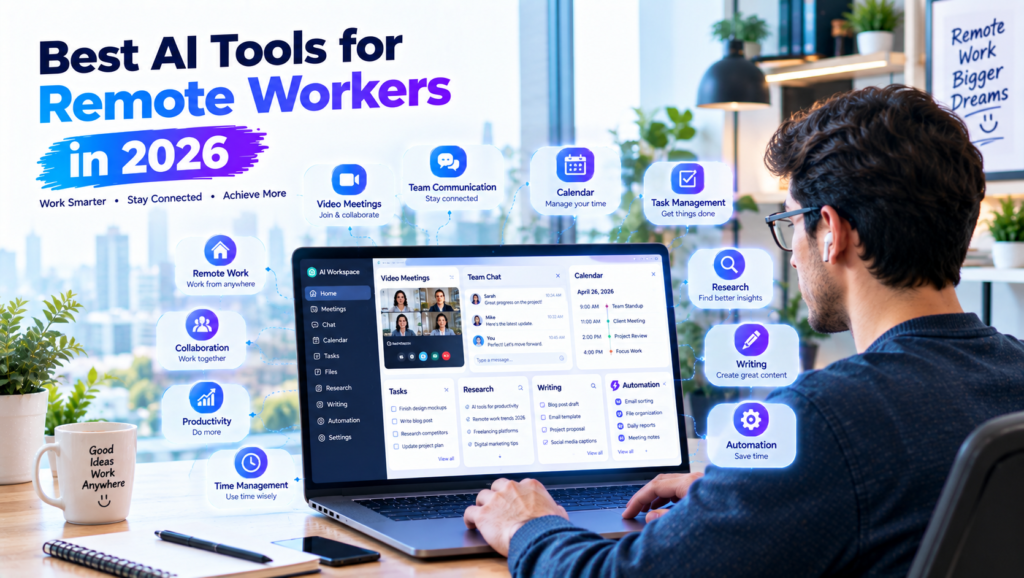
Remote work has changed the way millions of professionals organize their working days. Instead of sitting in a traditional office, remote workers can collaborate with clients and colleagues from home, coworking spaces, or different locations around the world.
However, working remotely also comes with challenges. Managing tasks, attending online meetings, responding to messages, organizing documents, tracking deadlines, and staying focused can sometimes become difficult.
In 2026, artificial intelligence is becoming a useful part of remote-work productivity. AI tools can help with writing, communication, scheduling, project management, research, meeting notes, and repetitive tasks.
The purpose of these tools is not to replace remote workers. Instead, they can help reduce repetitive work and give professionals more time to focus on important responsibilities.
In this guide, we will explore the best AI tools for remote workers in 2026, how they can be used, and what to consider before adding them to your workflow.
What Are AI Tools for Remote Workers?
AI tools for remote workers are software applications that use artificial intelligence to assist with professional tasks.
Depending on the tool, AI can help remote workers:
- Manage tasks
- Schedule meetings
- Write emails
- Summarize documents
- Take meeting notes
- Research topics
- Organize projects
- Create presentations
- Automate repetitive workflows
- Track productivity
- Communicate with teams
Some tools focus on a specific task, while others provide multiple productivity features.
The best choice depends on your profession, team, workload, and existing software.
Why Should Remote Workers Use AI Tools?
AI can provide several benefits for people working remotely.
1. Save Time
AI can help with repetitive tasks such as drafting messages, summarizing information, and organizing notes.
2. Improve Organization
Remote workers often manage multiple projects and deadlines. AI-powered productivity tools can help organize tasks and information.
3. Make Meetings More Efficient
AI meeting tools can assist with transcription, summaries, and action items.
4. Improve Communication
AI writing assistants can help make emails, reports, and messages clearer.
5. Automate Repetitive Work
Automation platforms can connect different applications and reduce manual steps.
Best AI Tools for Remote Workers in 2026
1. ChatGPT
ChatGPT is a versatile AI assistant that can support many remote-work tasks.
You can use it for:
- Writing emails
- Creating reports
- Brainstorming
- Research
- Project planning
- Summarizing information
- Creating task lists
- Editing documents
- Preparing meeting agendas
For example, a remote worker can give ChatGPT a list of tasks and deadlines and ask it to organize them into a practical work plan.
It can also help turn rough notes into a structured document.
However, always review important information before using or sharing AI-generated content.
2. Microsoft Copilot
Microsoft Copilot can assist with productivity tasks within supported Microsoft products.
Remote workers can use AI assistance for activities such as writing, summarization, document work, and organizing information.
For professionals already using Microsoft’s productivity ecosystem, integrated AI features can make certain tasks more convenient.
The exact capabilities depend on the Microsoft product and plan available to the user.
3. Google Gemini
Google Gemini can help remote workers with writing, brainstorming, research, planning, and summarization.
For example, you can use it to create a project outline, brainstorm ideas for a presentation, or simplify complex information.
It can also help organize notes and create structured content from information you provide.
As with other AI assistants, important facts should be verified before being used in professional work.
4. Notion AI
Notion combines notes, project management, databases, documentation, and productivity features.
Remote workers can use it to maintain:
- Project notes
- Client information
- Task lists
- Meeting notes
- Content calendars
- Documentation
- Weekly goals
AI features can assist with summarization, writing, and organizing information within the workspace.
This can be useful for remote teams that need a central location for project information.
5. ClickUp
ClickUp is a project-management platform that can help remote teams manage tasks, projects, deadlines, and responsibilities.
AI features can assist with certain writing, summarization, and project-related activities.
For example, a remote team can organize a project like this:
Project Brief → Tasks → Assigned Work → Review → Approval → Completion
This makes it easier for team members to understand what they need to complete.
6. Slack
Slack is widely used for communication between remote teams.
AI features can help users summarize conversations and catch up on information in supported workspaces.
This can be especially useful when a team has many channels and messages.
For example, a worker who was unavailable during the morning can use available AI features to help understand what was discussed.
Important decisions and deadlines should still be checked against the original messages.
7. Zoom AI Companion
Video meetings are an important part of remote work.
Zoom’s AI features can assist with meeting-related tasks, depending on the user’s account and available features.
Possible uses include:
- Meeting summaries
- Key discussion points
- Action items
- Follow-up information
A useful remote-work workflow is:
Meeting → Summary → Action Items → Tasks
Remote workers should follow their organization’s policies and applicable requirements for recording or transcription.
8. Otter.ai
Otter.ai can assist with meeting transcription and notes, depending on the features available in the selected plan.
Remote workers can use meeting transcripts to identify important discussions and follow-up tasks.
For example, after a client meeting, you can organize the result into:
Decisions → Questions → Responsibilities → Deadlines → Next Steps
Always ensure that recording or transcription is allowed and that participants are informed when required.
9. Zapier
Zapier is an automation platform that connects different applications.
It can help remote workers automate repetitive workflows.
For example:
New Client Form → Create Project → Add Task → Send Notification
Another workflow could be:
New Email → Save Attachment → Create Task → Notify Team Member
Automation can reduce the amount of manual work required for repetitive processes.
10. Grammarly
Grammarly can help remote workers improve written communication.
It can assist with:
- Grammar
- Spelling
- Punctuation
- Clarity
- Tone
- Sentence structure
Clear communication is especially important in remote work because many conversations happen through text.
A writing assistant can help improve a draft before it is sent to a client or colleague.
11. Canva
Canva can help remote workers create presentations, graphics, reports, social media content, and other visual materials.
Remote professionals can use it for:
- Presentations
- Infographics
- Marketing graphics
- Training materials
- Reports
- Social media posts
AI-powered design features can help speed up parts of the creative process.
Best AI Tools for Different Remote Workers
Different professions have different requirements.
For Remote Employees
Remote employees can use tools such as:
- Microsoft Copilot
- Google Gemini
- Slack
- Notion AI
- ClickUp
These can support communication, task management, documentation, and project work.
For Freelancers
Freelancers can benefit from:
- ChatGPT
- Grammarly
- Canva
- Notion AI
- Zapier
- Otter.ai
These tools can support client communication, content creation, project management, and automation.
For Remote Managers
Managers can use:
- ClickUp
- Slack
- Zoom AI Companion
- Notion AI
- Microsoft Copilot
These tools can help organize projects, meetings, documentation, and team communication.
For Content Creators
Content creators working remotely can use:
- ChatGPT
- Canva
- Grammarly
- Notion AI
- Google Gemini
These tools can help with research, writing, editing, planning, and visual content.
How to Use AI for Remote Work
Adding AI to your workflow does not need to be complicated.
Step 1: Identify Your Biggest Time-Consuming Tasks
Write down activities that take a lot of time every week.
For example:
- Meetings
- Research
- Reports
- Data entry
- Task management
Step 2: Find Tasks AI Can Support
Look for repetitive activities where AI can provide assistance.
For example, AI can help summarize meeting notes or create a first draft of an email.
Step 3: Choose One Tool
Do not start by installing ten different applications.
Choose one tool that solves a specific problem.
Step 4: Create a Simple Workflow
For example:
Meeting → AI Summary → Action Items → Task Manager
Step 5: Review the Results
Check whether the tool actually saves time and improves your work.
If it creates more work than it removes, change the workflow.
How AI Can Improve Remote Meetings
Remote meetings can become more productive when there is a clear process.
Before the Meeting
Use AI to prepare:
- Agenda
- Questions
- Talking points
- Project updates
During the Meeting
Use appropriate AI meeting features for notes or transcription when permitted.
After the Meeting
Create:
- Summary
- Decisions
- Action items
- Deadlines
- Follow-up tasks
This helps reduce the chance of forgetting important responsibilities.
How AI Can Help Remote Workers Manage Time
Remote workers often have more flexibility than office workers, but that flexibility can sometimes make time management difficult.
AI can help organize a daily schedule.
For example:
9:00–10:30 — Focused Project Work
10:30–11:00 — Email
11:00–12:00 — Meeting
1:00–2:30 — Client Work
3:00–4:00 — Research
You can ask an AI assistant to suggest a schedule based on your tasks and deadlines.
However, the final schedule should be adjusted according to your actual responsibilities.
AI for Remote Team Collaboration
Remote teams need a reliable way to share information.
AI can assist by:
- Summarizing discussions
- Organizing notes
- Creating project updates
- Drafting documentation
- Finding information
- Creating task lists
For example, a weekly team update could follow this structure:
Completed → In Progress → Problems → Next Steps
This makes updates easier to understand.
AI for Remote Freelancers
Freelancers often have to manage both client work and business administration.
AI can help with:
- Proposals
- Emails
- Research
- Content
- Project planning
- Meeting notes
- Time management
- Automation
A freelancer can create a workflow like:
Client Inquiry → Proposal → Project Setup → Work → Review → Delivery → Follow-Up
AI can assist with several stages while the freelancer remains responsible for client communication and final work quality.
Privacy and Security When Using AI
Remote workers may handle confidential information, so privacy should be taken seriously.
Avoid sharing sensitive information with an AI tool unless you are permitted to do so and understand how the service handles the data.
Be particularly careful with:
- Passwords
- Financial information
- Private customer information
- Confidential contracts
- Company strategies
- Private employee information
- Sensitive client documents
If you work for a company, follow its AI and data-security policies.
Common AI Mistakes Remote Workers Should Avoid
Using Too Many AI Tools
More tools do not automatically mean more productivity.
Choose tools that solve real problems.
Trusting AI Without Checking
AI can make mistakes or misunderstand information.
Review important outputs before using them.
Over-Automating Your Workflow
Automation is useful for repetitive work, but not every process needs automation.
Ignoring Human Communication
AI can help prepare messages, but important conversations may still require direct human communication.
Becoming Dependent on AI
AI should support your professional skills, not replace your ability to think, communicate, and solve problems.
How to Choose the Right AI Tool
Before choosing an AI tool, ask yourself:
What problem does it solve?
Identify the specific problem first.
How often does the problem occur?
A frequently repeated task may be a good candidate for AI assistance.
Does it integrate with your existing tools?
A tool that works with your current workflow may be easier to adopt.
Is your information safe?
Review privacy and security practices before sharing work-related data.
Is the price worth it?
Compare the features you actually need with the subscription cost.
Tips for Staying Productive While Working Remotely
AI is only one part of remote productivity.
You can also improve your workflow by:
- Creating a dedicated workspace.
- Setting clear working hours.
- Planning your day before starting work.
- Turning off unnecessary notifications.
- Using focused work periods.
- Taking regular breaks.
- Keeping meetings organized.
- Reviewing your priorities each morning.
- Setting boundaries between work and personal time.
- Reviewing your productivity at the end of the week.
A Simple AI Remote Work Workflow
A practical system can look like this:
Plan → Organize → Communicate → Work → Automate → Review
Plan
Create your daily and weekly goals.
Organize
Put tasks, deadlines, and project information into your productivity system.
Communicate
Use AI to help prepare clear emails, meeting agendas, and updates.
Work
Focus on your highest-priority tasks.
Automate
Automate repetitive processes where appropriate.
Review
At the end of the day or week, check what worked and adjust your workflow.
Final Thoughts
The best AI tools for remote workers in 2026 can help professionals manage tasks, communicate with teams, organize projects, take meeting notes, create content, and automate repetitive activities.
Tools such as ChatGPT, Microsoft Copilot, Google Gemini, Notion AI, ClickUp, Slack, Zoom AI Companion, Otter.ai, Zapier, Grammarly, and Canva offer different features for different remote-work needs.
You do not need every tool. Start with the tasks that consume the most time and choose an AI solution that can genuinely improve that part of your workflow.
Use AI as an assistant rather than a replacement for professional judgment. Review important information, protect confidential data, follow workplace policies, and maintain control over important decisions.
With a simple workflow and the right tools, AI can help remote workers spend less time on repetitive tasks and more time on meaningful work.