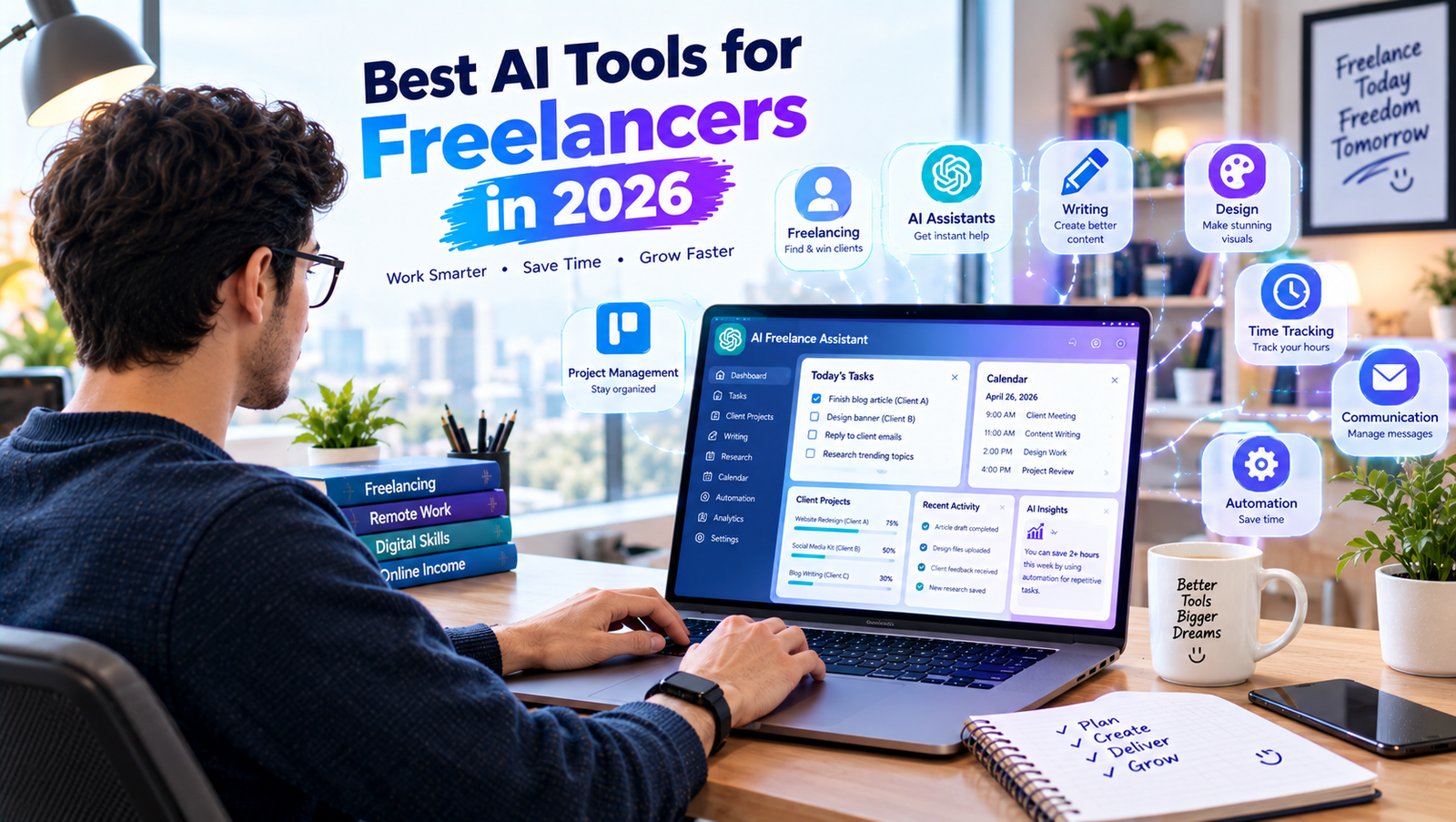
Freelancing gives people the freedom to choose their projects, clients, and working hours. However, running a freelance business also involves many tasks beyond the actual work. Freelancers may need to communicate with clients, create proposals, manage projects, track time, write content, organize invoices, conduct research, and promote their services.
In 2026, artificial intelligence can help freelancers handle many of these activities more efficiently. AI tools can assist with writing, research, project management, scheduling, design, communication, and automation.
The goal is not to replace your professional skills. Instead, AI can help reduce repetitive work and give you more time to focus on clients and high-value tasks.
In this guide, we will explore the best AI tools for freelancers in 2026, what they can do, and how freelancers can use them to improve their daily workflow.
What Are AI Tools for Freelancers?
AI tools for freelancers are applications that use artificial intelligence to assist with different parts of freelance work.
A freelancer may use AI for:
- Writing proposals
- Creating content
- Research
- Client communication
- Project management
- Time management
- Graphic design
- Meeting notes
- Task automation
- Brainstorming
- Editing
- Productivity
Different freelancers have different needs. A writer may need AI writing tools, while a graphic designer may benefit more from AI design software.
The best approach is to choose tools that solve actual problems in your workflow.
Why Should Freelancers Use AI Tools?
AI can help freelancers save time and organize their businesses more effectively.
1. Save Time
AI can speed up repetitive activities such as drafting emails, creating outlines, summarizing information, and organizing tasks.
2. Improve Productivity
A freelancer can use AI to structure a workday and prioritize important client tasks.
3. Generate Ideas
AI can help overcome creative blocks by suggesting topics, concepts, headlines, and approaches.
4. Improve Communication
AI can help freelancers draft professional emails, proposals, and client messages.
5. Automate Repetitive Tasks
Automation platforms can connect different applications and reduce manual work.
Best AI Tools for Freelancers in 2026
Here are some AI-powered tools that can be useful for different freelance workflows.
1. ChatGPT
ChatGPT can be used for a wide range of freelance tasks.
Freelancers can use it for:
- Client emails
- Proposal drafts
- Content ideas
- Research
- Writing assistance
- Project planning
- Brainstorming
- Summarization
- Editing
- Creating workflows
For example, a freelance writer can ask ChatGPT to create a blog outline, while a web developer can use it to explain technical concepts or help organize project requirements.
ChatGPT is especially useful because it can support many different types of freelance work.
However, freelancers should review AI-generated content and make sure the final work meets client requirements.
2. Grammarly
Grammarly is useful for freelancers who write emails, proposals, articles, social media posts, and business documents.
It can help identify grammar, spelling, punctuation, and clarity issues.
For freelancers who communicate with international clients, writing assistance can make professional communication easier.
It can be particularly useful during the final editing stage.
3. Canva
Canva provides design tools and AI-powered features that can help freelancers create visual content.
Freelancers can use it for:
- Social media graphics
- Presentations
- Blog images
- Marketing materials
- Thumbnails
- Simple branding assets
It can be useful for freelancers who need to create professional-looking visuals without spending a large amount of time on every design.
4. Notion AI
Notion combines notes, project organization, databases, and productivity features.
Freelancers can use it to organize:
- Client information
- Project details
- Content calendars
- Meeting notes
- Task lists
- Ideas
- Business documentation
AI features can assist with summarizing and organizing information inside the workspace.
This can be useful for freelancers managing multiple clients at the same time.
5. ClickUp
ClickUp is a project and task management platform that can help freelancers organize projects and deadlines.
AI features can assist with writing, summarization, and other productivity-related activities.
A freelancer can create separate projects for different clients and organize tasks according to deadlines.
For example:
Client Project → Research → Draft → Review → Client Approval → Final Delivery
A structured workflow can make it easier to track project progress.
6. Perplexity
Perplexity can be useful for research and information discovery.
Freelancers can use AI-powered search to explore:
- Industry topics
- Client industries
- Content ideas
- Market information
- Competitor topics
- Background information
For example, if you are creating content for a technology company, you can use a research tool to explore the topic before starting the writing process.
Important facts should still be verified using reliable sources.
7. Otter.ai
Freelancers often communicate with clients through online meetings.
Otter.ai can assist with meeting transcription and notes, depending on the features available in the user’s plan.
Instead of trying to remember every detail from a meeting, freelancers can use meeting notes to identify important information and follow-up tasks.
A useful workflow is:
Client Meeting → Transcript → Summary → Action Items → Project Tasks
Always make sure clients are aware of recording or transcription when required by applicable laws, agreements, or platform rules.
8. Zapier
Zapier is an automation platform that can connect different applications.
Freelancers can use automation to reduce repetitive administrative work.
For example:
New Client Form → Create Project → Add Task → Send Notification
Another workflow could be:
Completed Project → Update Spreadsheet → Send Follow-Up Reminder
Automation can save time when the same process is repeated frequently.
9. Microsoft Copilot
Microsoft Copilot can assist with writing, summarization, organization, and productivity depending on the Microsoft products and plan being used.
Freelancers who already use Microsoft applications may find integrated AI assistance useful for everyday work.
It can help with tasks such as drafting content, summarizing information, and working with documents.
10. Google Gemini
Google Gemini can support freelancers with brainstorming, writing, research, summarization, and planning.
For example, freelancers can use it to brainstorm marketing ideas, organize project information, or create a first draft of a document.
Like other AI assistants, its output should be reviewed before being delivered to clients.
Best AI Tools for Different Freelancers
Different freelance professions require different tools.
Freelance Writers
Writers can benefit from:
- ChatGPT
- Grammarly
- QuillBot
- Perplexity
- Notion AI
These tools can help with research, brainstorming, drafting, editing, and organization.
Graphic Designers
Design freelancers may benefit from:
- Canva
- Adobe’s AI-powered tools
- ChatGPT for brainstorming
AI can help generate ideas and speed up certain design workflows, while the freelancer remains responsible for the creative direction and final design.
Social Media Managers
Social media freelancers can use:
- ChatGPT
- Canva
- Notion
- AI scheduling and automation tools
These tools can help create content ideas, captions, graphics, calendars, and workflows.
Virtual Assistants
Virtual assistants can use:
- ChatGPT
- Notion
- ClickUp
- Zapier
- Microsoft Copilot
These tools can help organize tasks, draft emails, summarize information, and automate repetitive workflows.
Web Developers
Developers can use AI assistants for:
- Brainstorming
- Documentation
- Debugging assistance
- Explaining code
- Writing technical drafts
- Project planning
AI should be treated as an assistant. Developers still need to review, test, and understand the resulting code.
How Freelancers Can Use AI to Find Clients
AI can also assist with the client-acquisition process.
For example, you can use AI to improve your freelance profile and prepare proposals.
A basic workflow can be:
Choose Service → Build Portfolio → Find Jobs → Research Client → Write Proposal → Follow Up
AI can help you brainstorm proposal structures and customize communication.
However, avoid sending identical AI-generated proposals to every client. A personalized proposal should demonstrate that you understand the client’s actual requirements.
Use AI to Create Freelance Proposals
Writing proposals repeatedly can take time.
You can provide the project details to AI and ask it to create a draft.
For example:
“Create a short freelance proposal for a client who needs a WordPress website. Mention my experience, explain how I can help, and ask two relevant questions about the project.”
You can then personalize the proposal with your actual experience and portfolio.
Never claim skills, experience, or results that you do not actually have.
Use AI for Client Communication
Professional communication is an important part of freelancing.
AI can help you draft:
- Project updates
- Follow-up emails
- Meeting agendas
- Delivery messages
- Revision responses
- Thank-you messages
For example, if a project is delayed, AI can help create a clear and professional message explaining the situation.
You should always review the final message before sending it.
Use AI for Project Management
Managing multiple clients can become complicated.
A simple project-management workflow can look like:
Client Request → Requirements → Tasks → Deadline → Work → Review → Delivery
AI can help break a project into smaller tasks.
For example, a website project might include:
- Collect requirements.
- Create sitemap.
- Design pages.
- Develop website.
- Test functionality.
- Review with client.
- Make revisions.
- Launch website.
Breaking projects into steps makes deadlines easier to manage.
Use AI for Time Tracking and Productivity
Freelancers often need to understand how much time they spend on different projects.
Time-tracking tools can show where your working hours are going.
You can use the information to determine:
- Which projects take the most time
- Which tasks are repetitive
- How long similar projects usually take
- Where workflow improvements may be possible
AI can then help you think through ways to improve inefficient processes.
Use AI to Automate Freelance Work
Automation can be particularly valuable for freelancers because they often manage administrative tasks themselves.
A simple automated workflow could be:
New Client Inquiry → Save Client Information → Create Task → Send Confirmation
Another example:
Project Completed → Update Project Status → Create Follow-Up Reminder
The goal is to automate predictable, repetitive actions while keeping important client decisions under human control.
How to Choose the Right AI Tool
You do not need every AI tool available.
Before choosing a tool, ask yourself:
What problem does it solve?
If a tool does not solve a real problem in your workflow, you may not need it.
How often will I use it?
A tool that saves five minutes once a month may not be worth learning.
Does it fit my workflow?
The best tool should work naturally with the applications you already use.
Does it protect my information?
Review the service’s privacy and data-handling practices before uploading confidential client information.
Is the price reasonable?
Compare the features you actually need with the cost of the subscription.
How to Use AI Without Losing Your Freelance Skills
AI should support your expertise rather than replace it.
For example, a writer should still understand writing fundamentals. A designer should still understand design principles. A developer should still understand programming concepts.
AI can speed up parts of your workflow, but your professional knowledge helps you judge whether the output is actually useful.
A strong freelance workflow is:
Your Skill + AI Assistance + Human Review = Better Workflow
Common AI Mistakes Freelancers Should Avoid
Copying AI Output Without Reviewing It
AI-generated content can contain errors or unsuitable information.
Always review your final work.
Using the Same Proposal Everywhere
Clients want to know that you understand their specific project.
Personalize proposals rather than sending generic AI-generated text.
Sharing Confidential Client Information
Do not upload sensitive client information unless you are permitted to do so and understand how the service handles that data.
Depending Completely on AI
AI should be an assistant, not the foundation of your professional skills.
Using Too Many Tools
Too many applications can make your workflow more complicated.
Start with the tools that solve your biggest problems.
A Simple AI Workflow for Freelancers
Here is a practical workflow that many freelancers can adapt:
Step 1: Find the Client
Use freelance platforms, networking, referrals, or your own marketing channels.
Step 2: Understand the Project
Read the requirements carefully and identify the client’s goals.
Step 3: Prepare a Proposal
Use AI to help structure the proposal, then personalize it.
Step 4: Plan the Work
Break the project into smaller tasks and deadlines.
Step 5: Complete the Work
Use AI where appropriate to assist with research, writing, brainstorming, or repetitive tasks.
Step 6: Review Everything
Check quality, accuracy, formatting, and client requirements.
Step 7: Deliver the Project
Send the final work professionally and clearly explain what has been completed.
Step 8: Follow Up
After delivery, communicate with the client and handle any appropriate revisions.
Final Thoughts
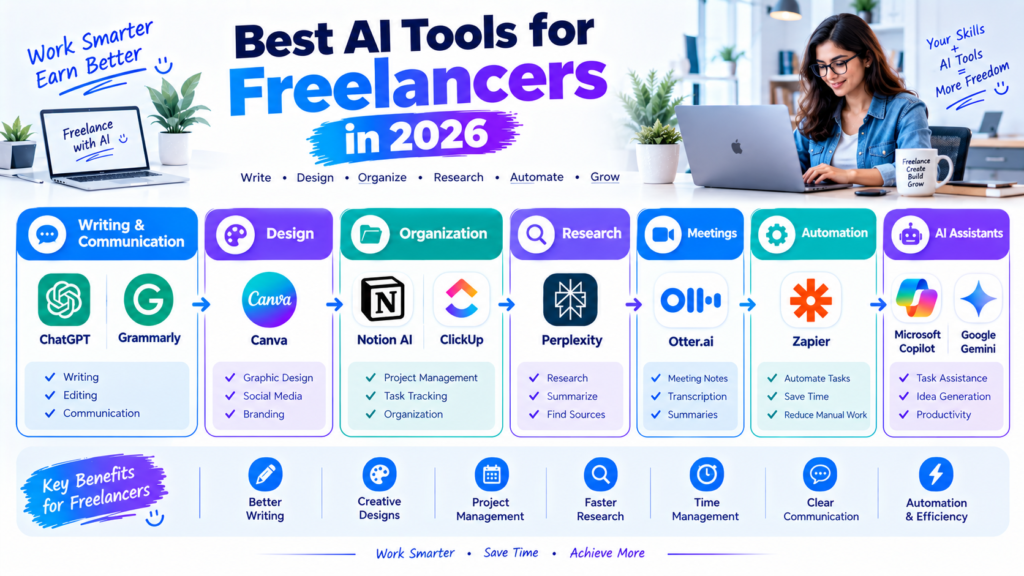
The best AI tools for freelancers in 2026 can help with many parts of freelance work, from writing and research to project management, communication, design, and automation.
Tools such as ChatGPT, Grammarly, Canva, Notion AI, ClickUp, Perplexity, Otter.ai, Zapier, Microsoft Copilot, and Google Gemini can support different freelance workflows.
You do not need to use all of them. Start by identifying the tasks that consume the most time and choose tools that can genuinely improve those processes.
Most importantly, AI should complement your professional skills. Use it to save time, organize your workflow, generate ideas, and reduce repetitive work, while keeping human judgment responsible for quality, accuracy, creativity, and client relationships.
With the right approach, AI can become a useful assistant that helps freelancers spend more time on valuable work and less time on repetitive tasks.